Download InheritedDataPRO
and Upload to PhoneBurner
This short Video tutorial shows the simple process to download your InheritedData from InheritedDataPRO and then upload to PhoneBurner.
Steps
1. Access InheritedDataPRO.
2. Click Download Center at the top of the page. 
3. In the Search Bars, select "Select Assign Date". These are the Dates that Data was assigned to your account.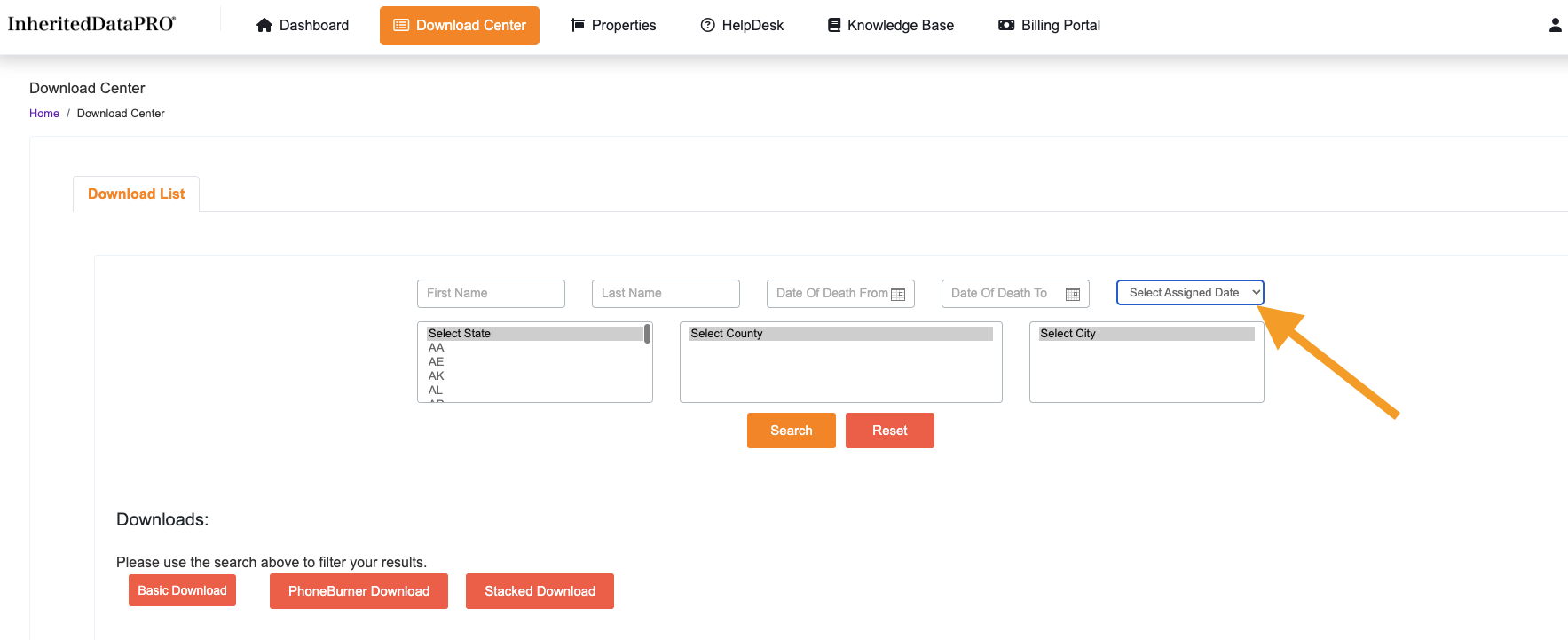
4. Choose the desired Date and Click Search.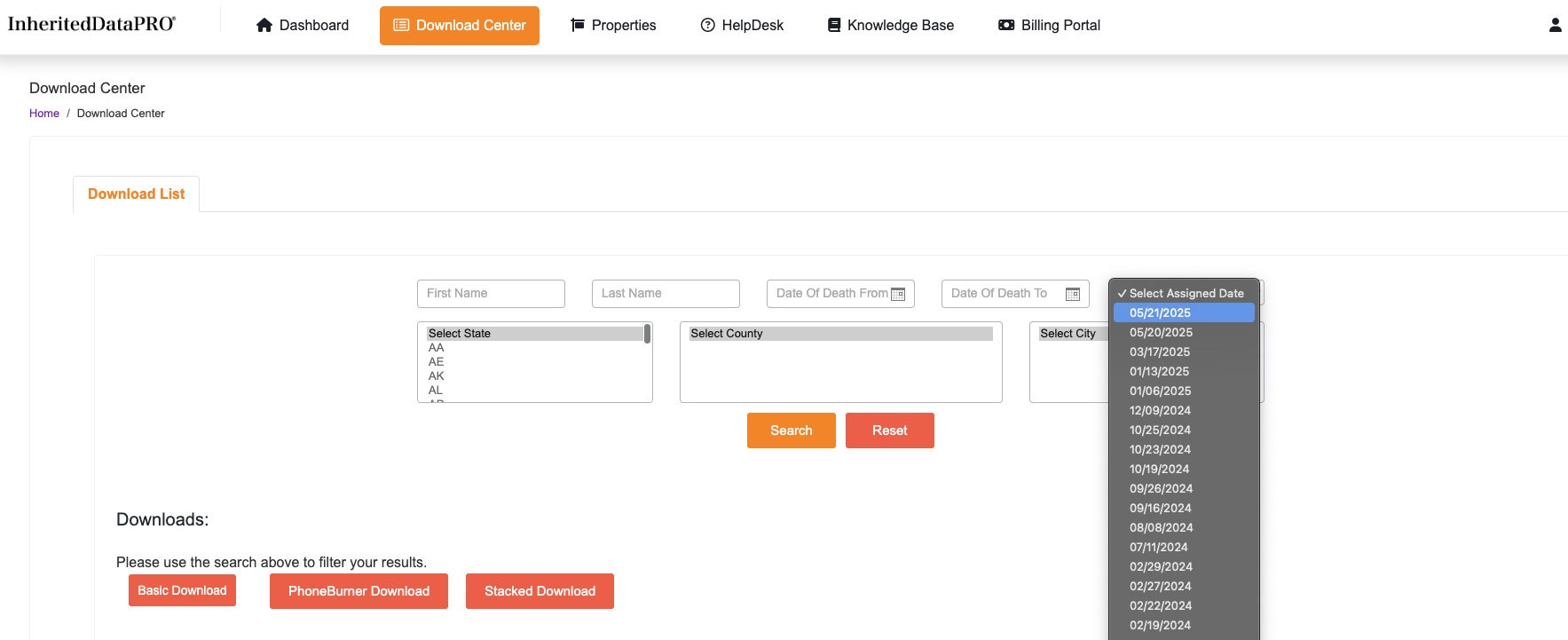
5. Finally, choose the format needed and done!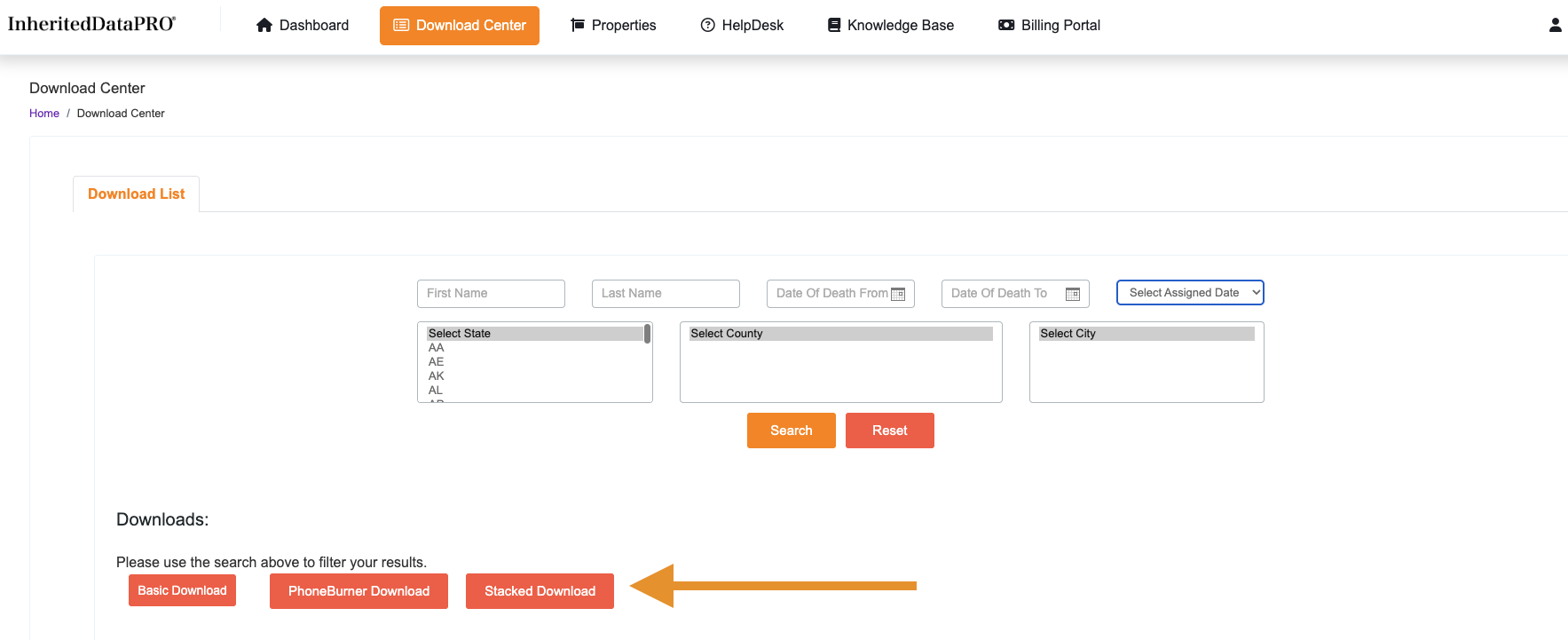
6. Congratulations you download is complete!
Was this article helpful?
That’s Great!
Thank you for your feedback
Sorry! We couldn't be helpful
Thank you for your feedback
Feedback sent
We appreciate your effort and will try to fix the article